
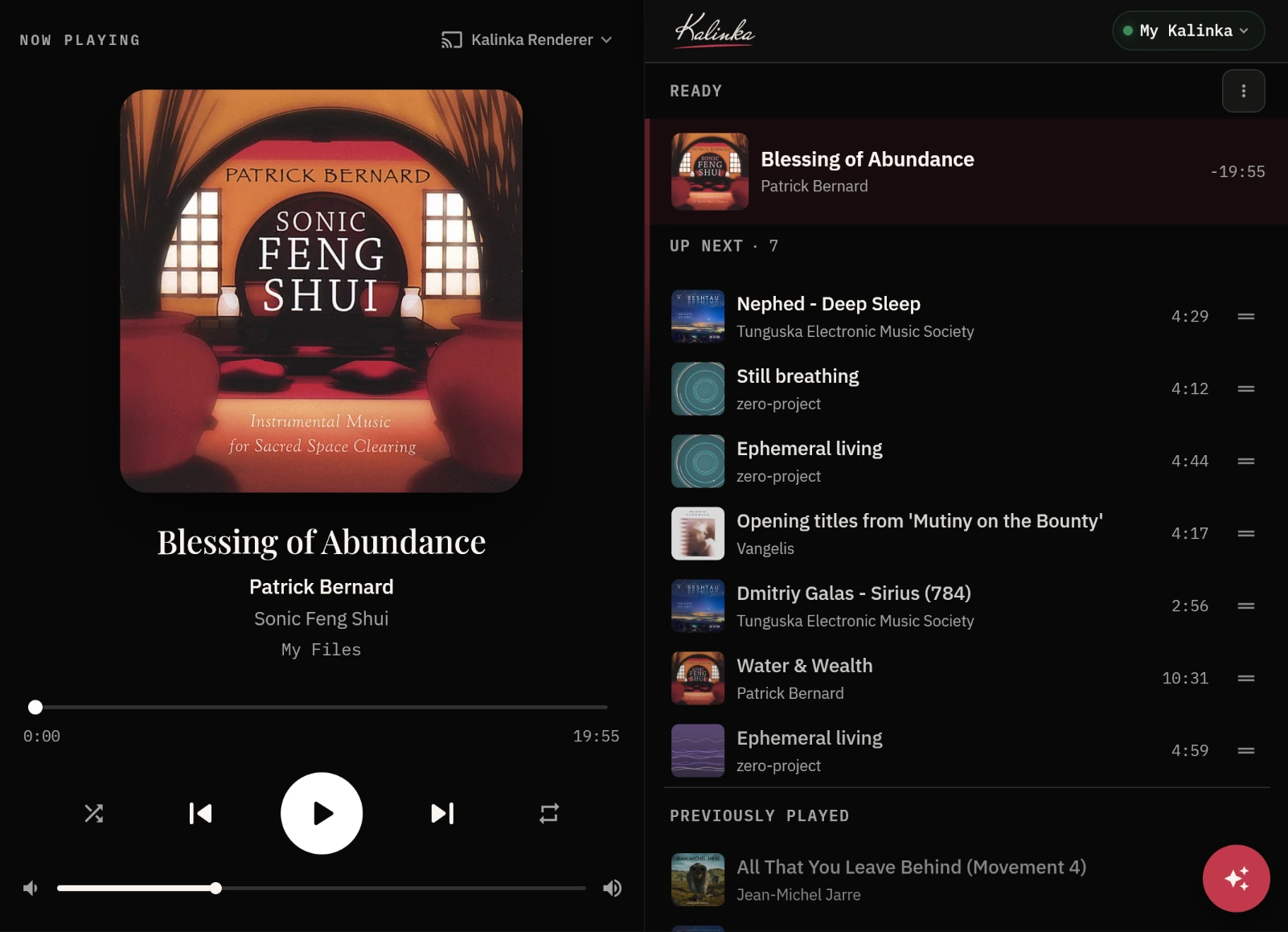
Now playing: Server 3.5.0 · App 0.5.0. Download ↓
Rediscover your music

Your whole collection —
finally understood.

Kalinka plays the music you already own in bit-perfect, gapless sound — then indexes every track, fixes the messy tags, and lets you find anything just by describing the mood you're in. Self-hosted on Linux, and ready to play in minutes.

The server runs on a Linux single-board computer wired into your hi-fi — it decodes and plays the music through a DAC. The app lets you browse, search and control playback from any device — phone, tablet or laptop.

Server · runs on a Linux SBC
Raspberry Pi Any Linux SBC
Remote · runs on every device
Linux Android Windows macOS SOON iPhone SOON
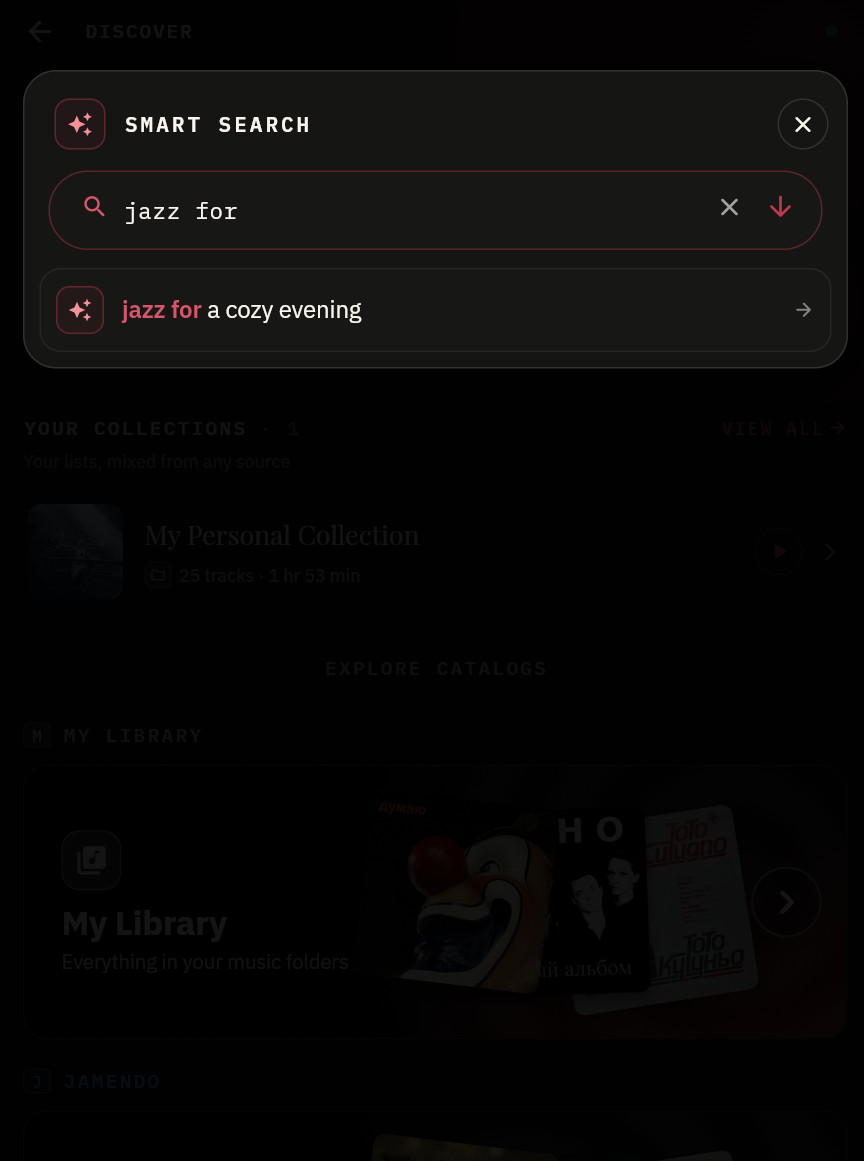
ASK THE AI
something melancholic for tonight
upbeat but not cheesy, for cooking
that dreamy 80s synth sound
LOCAL LIBRARY
Recently Added
Recently added tracks
My Albums
Browse your album collection
Pale Static
Ren Halloway
NOW PLAYING
Glasshouse
Vesper Lune
Northern Light
My Files
0:241:04
Kalinka Server
READY
Glasshouse
Vesper Lune
-1:12
UP NEXT · 8
Slow Tide
Halden Frost
4:12
Amber Hours
Marlow Quay
3:48
Pale Static
Ren Halloway
4:03
Driftwood
Eira Voss
5:21
9:41
Kalinka Server
READY
Glasshouse
Vesper Lune
-1:12
UP NEXT · 8
Slow Tide
Halden Frost
4:12
Amber Hours
Marlow Quay
3:48
Pale Static
Ren Halloway
4:03
Glasshouse
Vesper Lune
Why Kalinka

Built for people who
still own their music

No subscription, no cloud library, no middleman. Kalinka runs on your machine and works with the files you already have — and makes sense of them.

Free & local-first

Completely free and runs on your own hardware. Your library never leaves your machine — no accounts, no tracking, no monthly fee.

Bit-perfect playback

Currently supports MP3 and FLAC, with gapless playback. Bit-perfect output is available for supported formats, but it is most meaningful with FLAC where there is no lossy compression.

AI mood & genre search

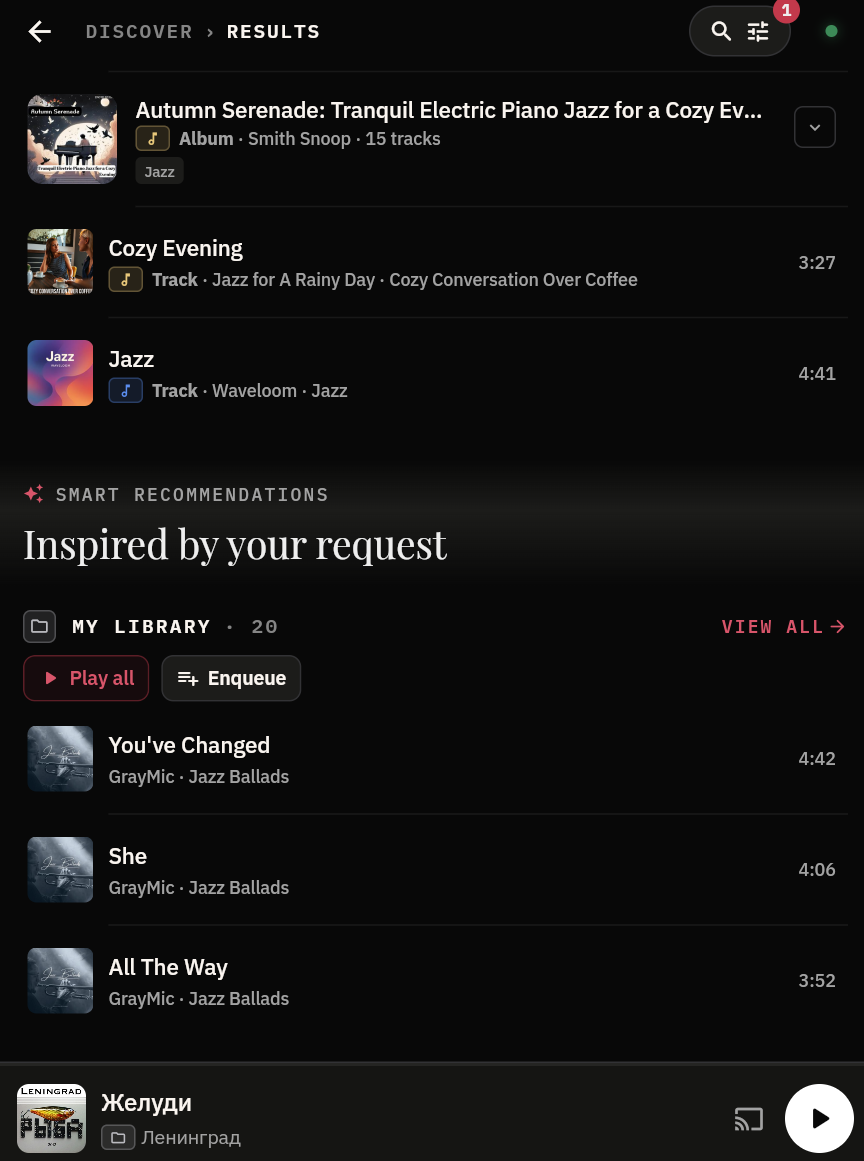
Find music by describing a mood or a genre. “Something melancholic for tonight” returns the right tracks from your library — no playlists required. Works across Jamendo too.

Your collection, indexed

Point it at your folders and Kalinka scans every track, building a fast, searchable index of everything you own.

Fixes missing tags

Untitled tracks, blank artists, wrong albums — Kalinka detects gaps and identifies the right metadata automatically.

Organised properly

Once tagged, your library sorts itself into clean artists, albums and genres — the structure you always wished it had.

Jamendo as a music sourceNEW

Alongside your own files, Kalinka can now stream Jamendo — a catalog of independent, Creative Commons–licensed music — with the same AI mood & genre search and smart suggestions working across it. To enable the source, create a free API key on the Jamendo developer portal and add it to your server's configuration.

Your library

From a mess of files
to a real collection

Most music libraries are a graveyard of track01.mp3 and blank artist fields. Kalinka indexes the lot, works out what each track actually is, and puts it in order.

  • Indexes everythingOne scan catalogues your entire collection, however large or scattered across drives.
  • Detects missing names & tagsBlank titles, wrong artists, missing albums and years — spotted and filled in automatically.
  • Organises it properlyClean artist / album / genre structure, ready to browse — and to search by mood.
BACKGROUND INDEXINGruns automatically
Step 1: Index files in your music folders
Kalinka catalogs MP3 and FLAC in the background while you keep listening.
Step 2: Fill missing metadata using multiple signals
Embedded tags, filename/folder hints, and AcoustID fingerprint matching.
Step 3: Build a clean, searchable library
Consistent artist, album, and track data for browsing and AI mood search — a large library can take a few hours to index fully, always in the background while you keep playing.

Bring Kalinka home

Two steps: stand up the server on the computer wired into your hi-fi, then install the remote app on your devices.

1

Deploy the server

The server is where the music actually plays. Running on a low-power SBC wired into your hi-fi, it decodes your files and feeds a DAC — an onboard, HAT or USB DAC for analogue out, or S/PDIF (coaxial or optical) to your external DAC. It also handles the library, tag repair and AI mood search.

Linux only — no Windows. Kalinka outputs straight through ALSA, bypassing the system mixer for bit-perfect, gapless playback at each file's native sample rate.
One command — Raspberry Pi & PC alike
curl -fsSL https://kalinkaplayer.com/install.sh | sudo bash
  • Detects your hardware and installs the latest release with apt — browser player included. Works on Raspberry Pi OS (64-bit, trixie) / Debian 13 and Ubuntu 24.04.
  • The server starts on its own and appears in the app — setup continues there, no config files to edit.
  • Updating later is the same command again.
2

Install the app

Control everything from the device in your hand — your phone, tablet or laptop. Browse your collection, run mood searches and drive playback (play, pause, queue, volume) on the server wired to your hi-fi, so the sound always comes from your speakers, never your screen. Install it on as many devices as you like — or skip the install: the server now ships a browser player, so any device on your network can open http://<server-ip>:8000 and take the controls.

Free & local-first · server on Linux / SBC · remote apps for desktop, mobile & any browser · Initial setup · App manual